
Features
Everything your shop runs on, connected.
Inventory, recipes and cost per unit, production batches, purchasing and supplier bills, invoicing and accounting, team and payroll prep — six parts of one system, each feeding the next.
01
Inventory & Materials
Raw materials and finished goods in their own units, with every change recorded — and stock that can’t quietly go below zero.
Inventory & Materials in detail- Raw materials and finished goods, each in its own units of measure
- Stock changes only through a recorded movement: receipt, batch, sale, count or adjustment
- Stock can’t go below zero — a short batch is caught before it happens
- Full movement history: what changed, when and who did it
- Phone camera scanning to look up an item by its printed code
- Weighted average cost that updates as materials arrive, freight included
02
Recipes & Product Costing
Recipes with yields and versions, and a real cost per unit — freight-in, labor and rejected units included, not guessed.
Recipes & Product Costing in detail- Recipes (bills of materials) with ingredients, yield and versions
- Standard cost (what it should cost) and actual cost (what it did cost)
- Freight, duty and handling on a receipt spread into the materials’ cost
- Labor from dated labor rates
- Rejected units absorbed by the good units — divided by what you can sell
- Says “incomplete” and names the missing ingredient cost, instead of showing a number that’s too low
03
Production Batches
Plan a batch, check you have the stock, then complete it in one step — ingredients out, finished goods in, posted to the books.
Production Batches in detail- Plan a batch from any recipe and check stock first
- Complete with started, good and rejected counts
- Ingredients used and finished goods added in one step
- Batch cost posts to your books automatically
- A completed batch can be reversed — history is never edited
- A simple “Make” screen built for the shop floor and your phone
04
Purchasing & Supplier Bills
Purchase orders, receiving with freight, and supplier bills read for you — checked against the order and the receipt before anything posts.
Purchasing & Supplier Bills in detail- Suppliers and purchase orders for materials or goods for resale
- Approve, send, cancel, and receive in part or in full
- Freight and handling on a receipt spread into the materials’ cost
- Upload a bill: an AI reader pulls out the details for you to review
- Three-way match: bill vs. purchase order vs. what you received
- Mismatches flagged in plain words; nothing posts without your review
05
Accounting & Invoicing
Invoices, payments and sales tax, with real books underneath — profit & loss, balance sheet and cash flow that work themselves out.
Accounting & Invoicing in detail- Invoices with a review step before they go out; print or download a PDF
- Payments, partial payments, refunds and voids
- Sales tax, shipping and cost of goods sold posted automatically
- Chart of accounts and journal entries (created, then posted)
- Profit & loss, balance sheet, cash flow and trial balance
- Bank statement upload (CSV, Excel or PDF), with duplicates skipped
- Owner tools: business mileage at the IRS rate, money you put in and take out, and a sales tracker
06
Team, HR & Payroll Prep
Employees, timesheets, payroll preparation, contractors and 1099s — with roles and approvals so the right people see the right things.
Team, HR & Payroll Prep in detail- Employee records, compliance documents with expiry warnings, performance reviews
- Timesheets with approval, and dated labor rates
- Payroll preparation: gross pay, FICA and deductions, posted after approval
- Contractors with encrypted tax IDs, and 1099-NEC forms
- Expense claims with receipts and approval
- Six roles and separation-of-duties approvals you configure
How it connects
Record it once. Every part updates.
- 01
Receive
Wax, oils, jars and the freight to get them to you — recorded once, against the purchase order.
- 02
Stock
Inventory goes up and the item’s cost updates, freight included.
- 03
Make
Run a batch from the recipe. Ingredients come out, finished goods go in, rejects are counted.
- 04
Cost
Cost per unit is worked out over the good units — materials, freight and labor.
- 05
Books
The batch, the bill and the sale post to your books. No re-typing.
Phone first
Designed at phone width first. A Simple view with Home, Stock, Make and Search screens for the shop floor.
Nothing posts unreviewed
Imported bills, bank lines and synced sales wait for your review. Corrections are reversals, never edits.
More than one company
Run several companies from one login, each kept completely separate.
Help on every screen
Plain-English help articles and “?” tips next to the fields that need them.
Who did what
Records show who made a change, their role and when.
R&D experiments
Test a new formula with real stock and see what the experiment cost.
Your brand
Your logo, company name, tagline and colors across the app — for everyone in your company.
Simple or Advanced, light or dark
Plain-words Simple mode or the full Advanced pages, in light or dark — one tap each, and nothing you’ve entered changes.
Owner tools
Log business miles at the IRS rate, track money you put in and take out, and follow your sales.
A look inside
Every module, as it really looks.
Real screens from GodKey MFG — not mock-ups. Company names are shown as “Your Company”.
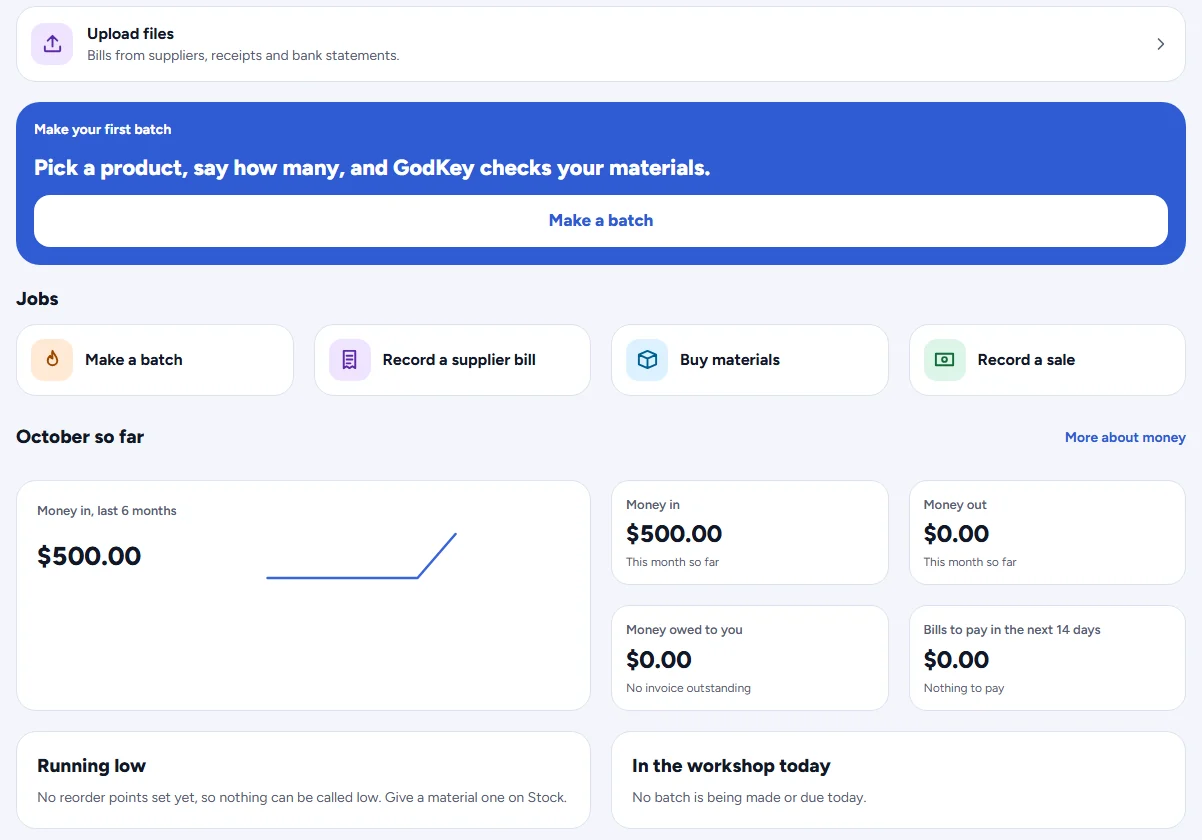
Home — today’s jobs and where your money stands.
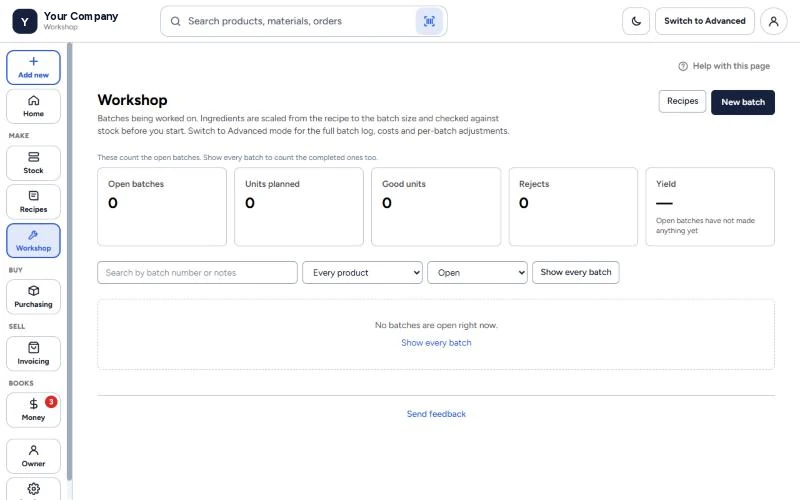
Workshop — open batches, units planned, good units, rejects and yield.
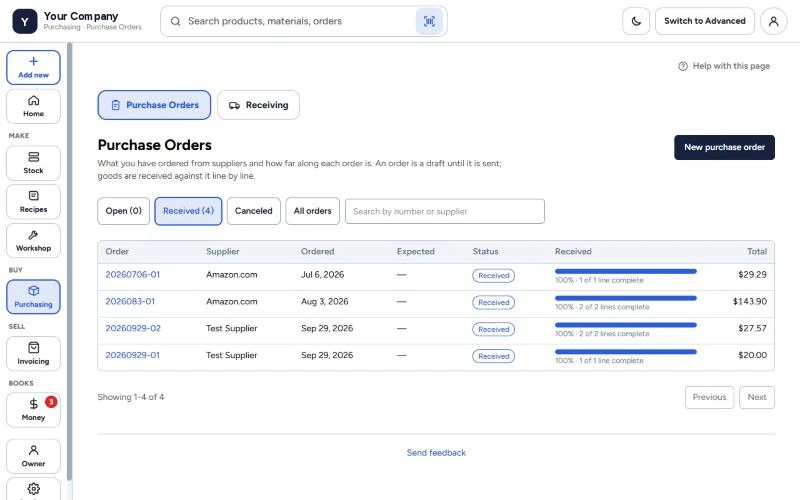
Purchasing — every order, and how much of it has arrived.
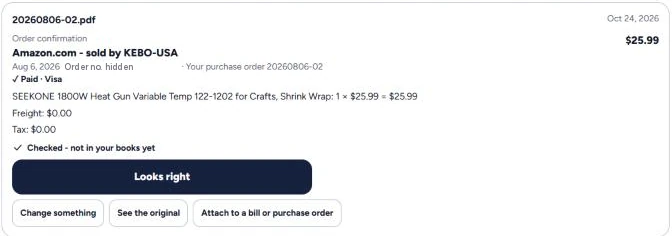
Upload a supplier’s invoice or order — GodKey reads it, and you check it before anything reaches your books.
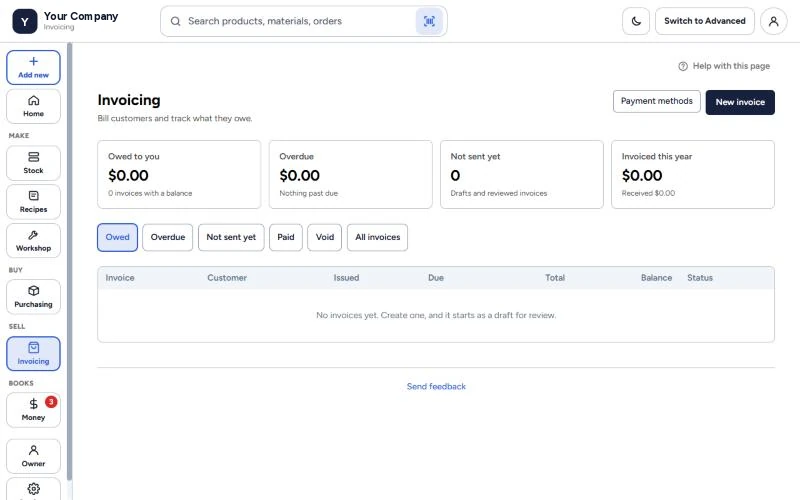
Invoicing — what you’re owed, what’s overdue and what hasn’t been sent.
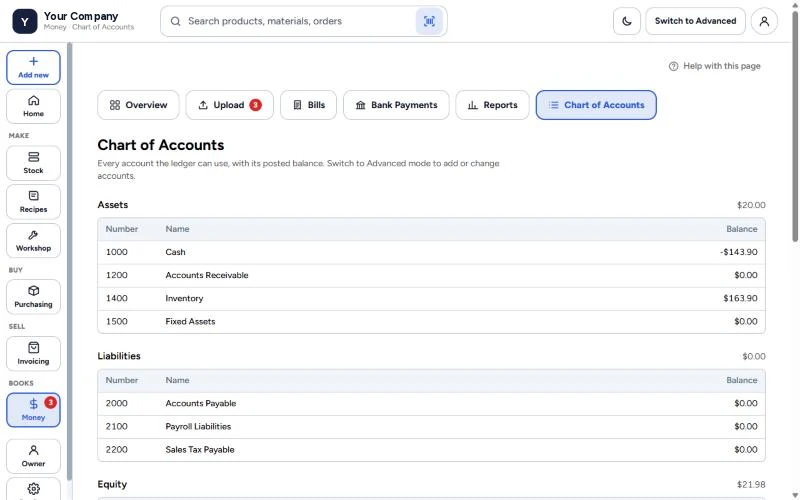
Money — a real chart of accounts with posted balances, under plain words.
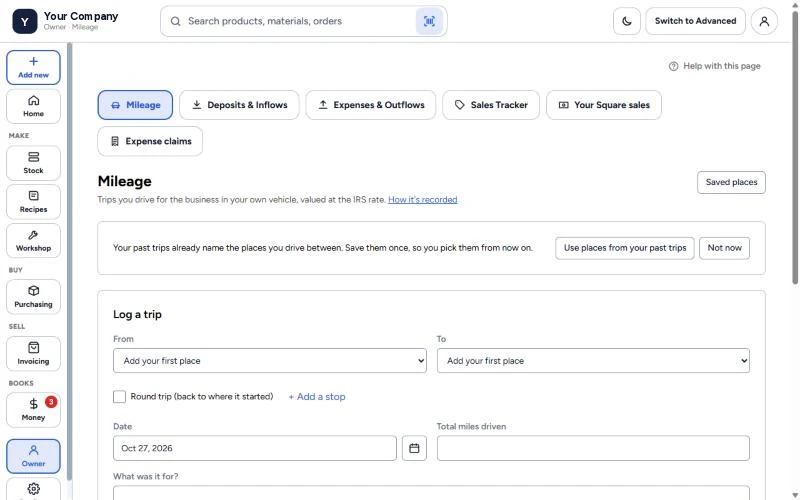
Owner tools — log business miles, money in and out, and your sales.
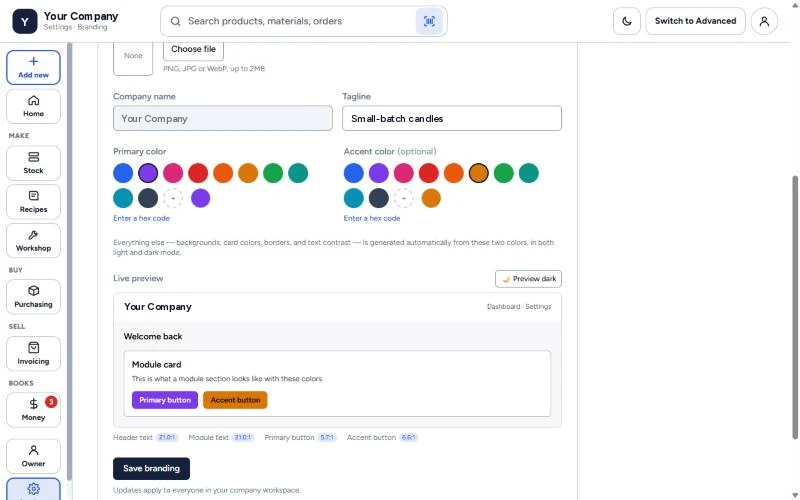
Settings › Branding.
And on your phone
Designed at phone width first, with a bottom menu for the shop floor.
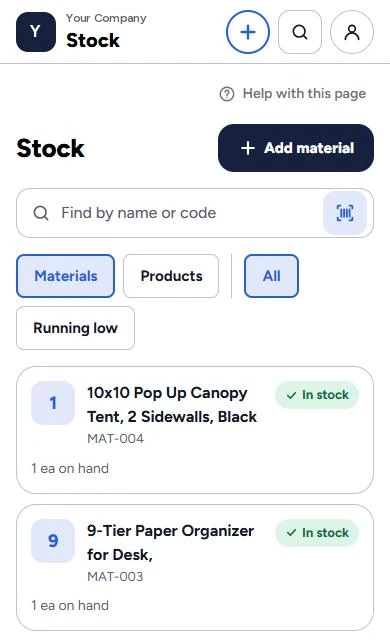
Stock on your phone — scan or search, see what’s on hand.
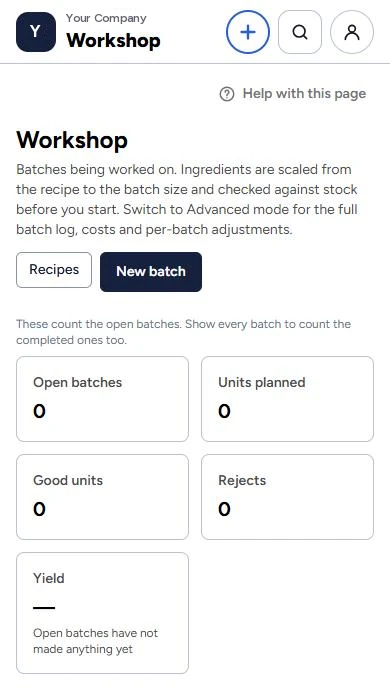
Start a batch from the shop floor.
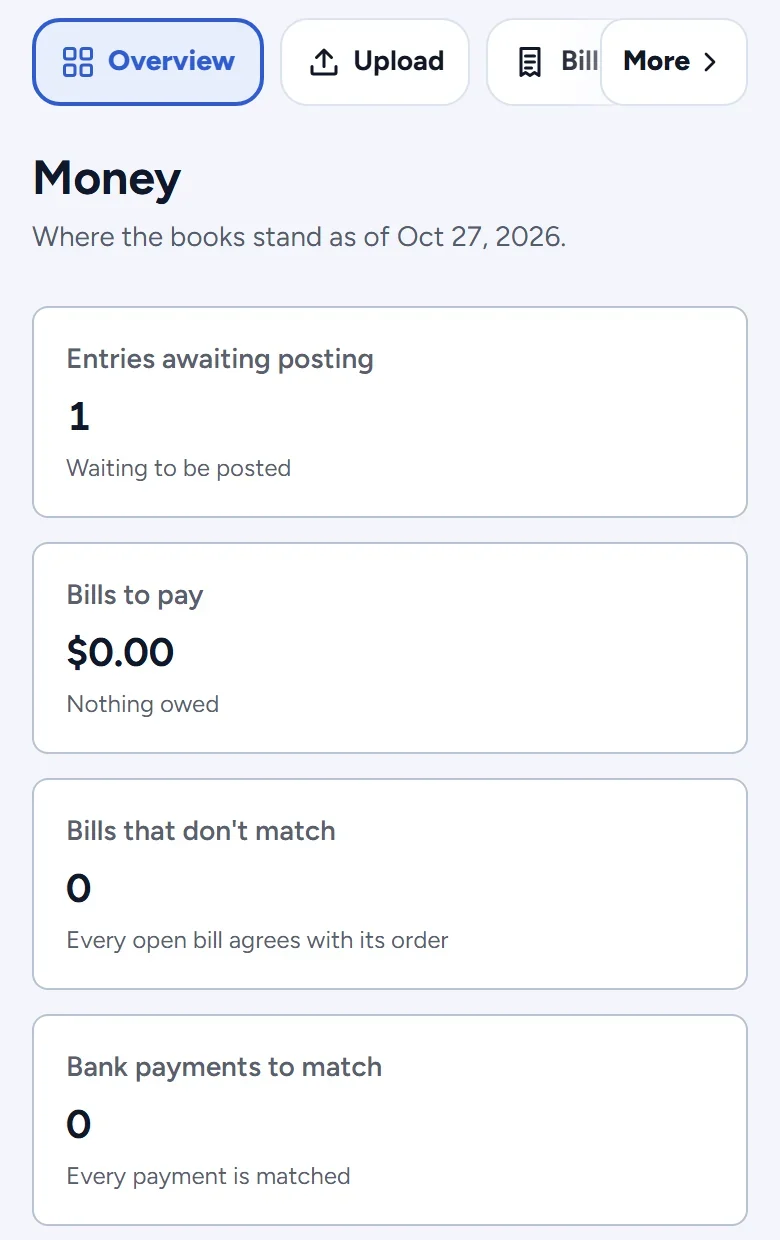
Your books on your phone.
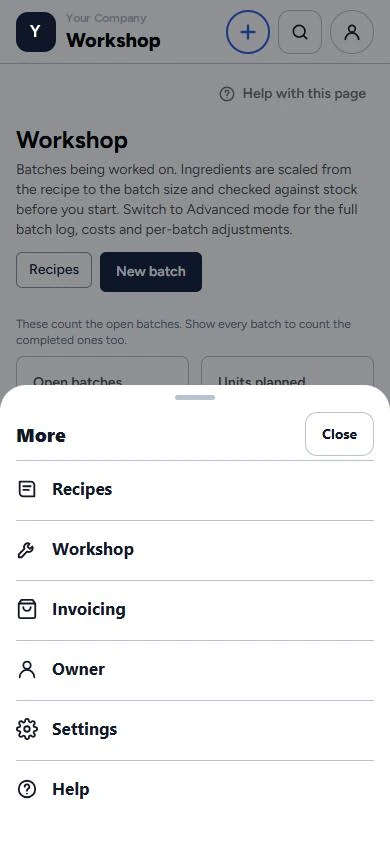
Every module, one tap away.
Simple or Advanced
One app. As simple — or as deep — as you need.
Simple mode shows the everyday jobs in plain words, for the shop floor and for owners who don’t want accounting jargon. Advanced mode adds the deeper pages for whoever does the books. Switch with one button at the top of any page — nothing you’ve entered changes.
Simple
Simple — accounts and balances, and the everyday money pages.
Advanced
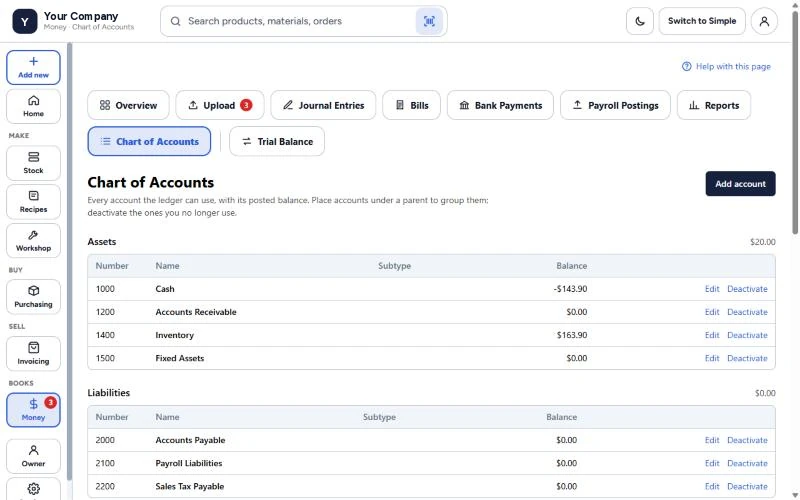
Advanced — the same books with journal entries, payroll postings, the trial balance, and accounts you can add and edit.
Simple
Simple — the batches being worked on right now.
Advanced
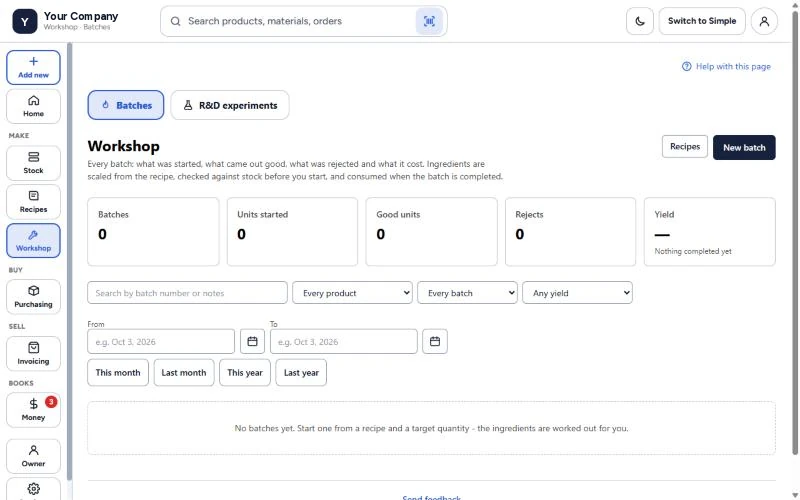
Advanced — the full batch log, R&D experiments and filters by product, yield and date.
Light or dark
Light mode for a bright shop, dark mode for late nights. One tap on the moon or sun at the top of the screen.
Light
Purchase orders in light mode.
Dark
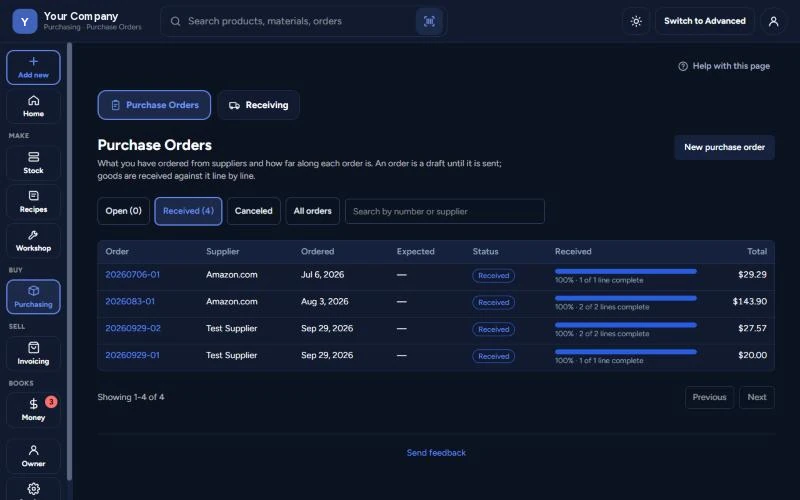
The same page in dark mode.
Your brand, your workspace
Make GodKey look like your company.
Every company on GodKey MFG gets its own branding. Add your logo, your name and your colors, and the app your team opens every day looks like yours — not like ours. Two colors in Simple mode, or every color in Advanced.
- Upload your logo — PNG, JPG or WebP
- Your company name and tagline in the header
- Applies to everyone in your company, the moment you save
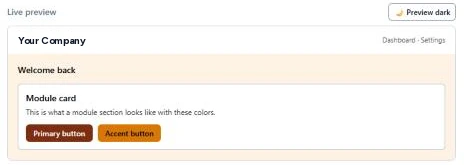
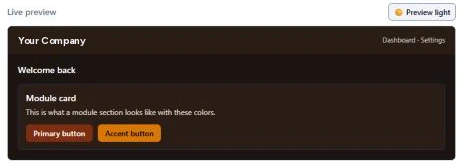
- A live preview with contrast checks, so text stays readable
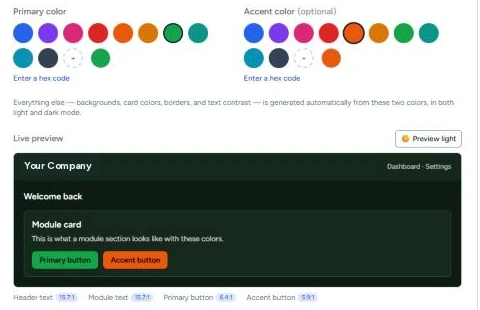
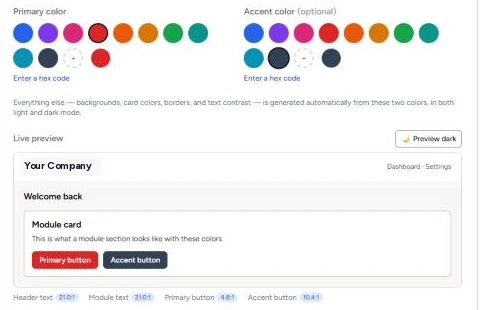
Simple branding
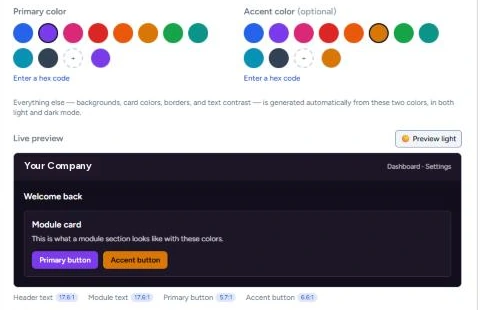
Two colors. GodKey does the rest.
- Pick a primary color and an optional accent — or type exact hex codes
- Backgrounds, cards, borders and text are worked out for you, in light and dark mode
Advanced branding
Every color, set separately for light and dark mode.
Switch to Advanced and take full control. Set each part of the app to your exact brand colors, with its own light-mode and dark-mode value, and watch the live preview change as you type.
- Primary color
- Main actions and primary accents
- Accent color
- Links, selected states and highlights
- Page background
- Behind the main app content
- Card / panel background
- Cards and panels on each page
- Module area background
- Around modules and navigation
- Module card background
- Inside module cards and work areas
- Module border
- Lines between cards and sections
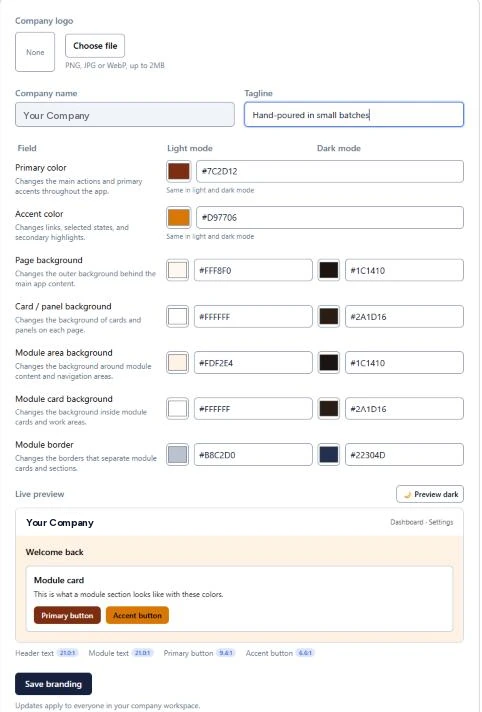
Running more than one company? Each one keeps its own branding, so you always know which company you’re in. The sign-in page keeps the GodKey MFG brand.
Stop rebuilding your costs in a spreadsheet.
The wait is over — the beta is live. Free until March 29, 2027 — no card needed. Seats are limited.